
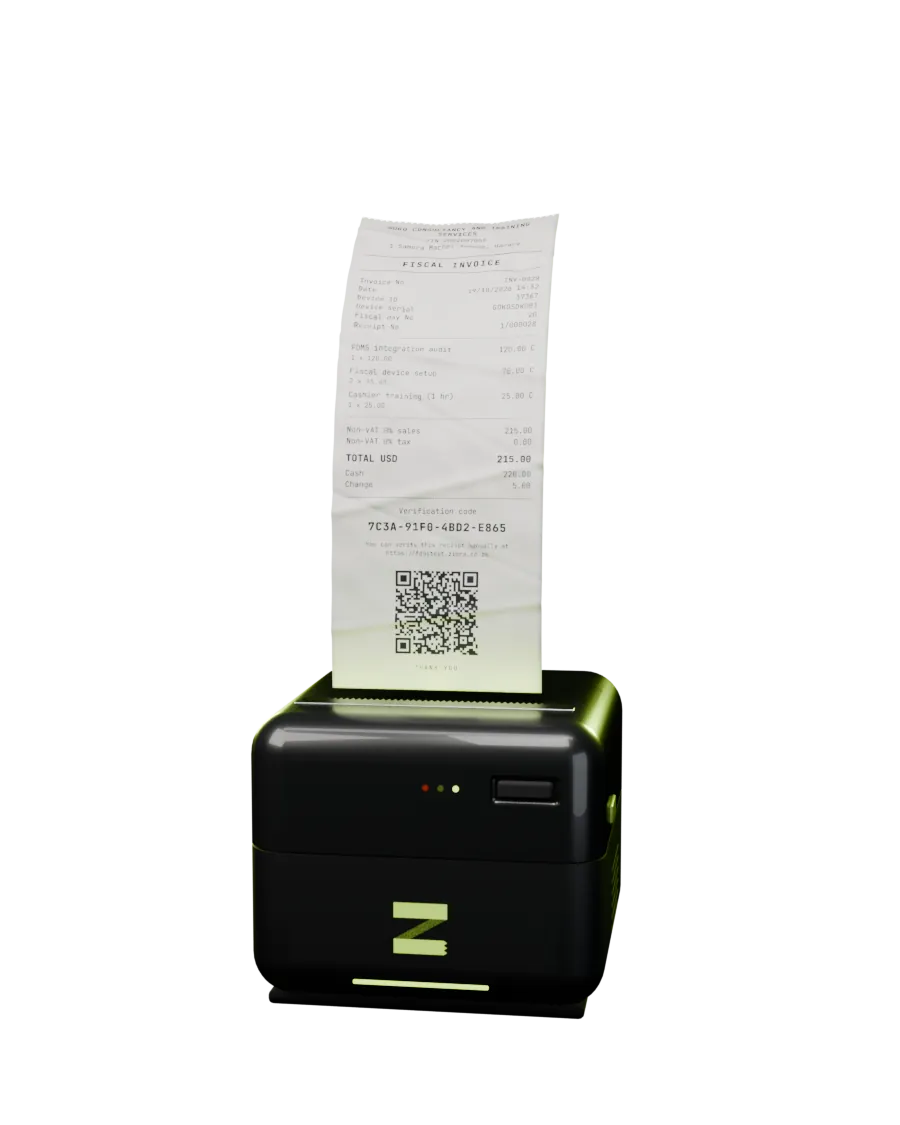
Documentation
Everything needed to fiscalise with zimra-fdms — from a first registered
device to a signed fiscal-day close. Every behaviour described here is the behaviour of the shipped
code, verified live against ZIMRA's FDMS test environment.
Introduction#
zimra-fdms is an open-source TypeScript SDK that talks directly to ZIMRA's
Fiscalisation Data Management System using your own device certificates. There is no middleman
service in the path, no per-receipt fee, and no vendor between your POS and the tax authority.
What it handles for you
- Device registration — ECDSA P-256 key generation, a CSR in ZIMRA's exact subject format, and certificate issuance.
- mTLS transport — mutual TLS over plain
node:https, with typed errors. - Receipt signing — the canonical signing string, SHA-256 hash, DER-encoded ECDSA signature and the receipt-to-receipt hash chain.
- Fiscal day lifecycle — open, counter accumulation across receipts, and a correctly sorted, signed close.
- Offline queue — FIFO queueing and retry inside FDMS's 72-hour grace window.
- Verification QR data — the exact string ZIMRA's validation portal expects.
What it does not handle
The SDK solves the integration. Going live still requires the human path: ZIMRA onboarding, sample-document approval, live device registration, ITF263 and ongoing compliance. See going to production on the home page.
Community project. Not affiliated with or endorsed by the Zimbabwe Revenue Authority. "ZIMRA" and "FDMS" refer to the authority's public fiscalisation programme and API.
Installation#
npm install zimra-fdmsNode 18 or newer. The package has exactly one runtime dependency —
@peculiar/x509, used to build the certificate signing request. Everything else runs
on Node built-ins (node:https, node:crypto).
Module format
The package is ESM-only ("type": "module"). In a CommonJS project, reach it
through a dynamic import:
const { FiscalDevice } = await import("zimra-fdms");What you need before writing code
Three values, issued when the device is added on the FDMS portal:
| Value | Example | Where it comes from |
|---|---|---|
deviceId | 12345 | FDMS portal, on device creation |
serialNumber | MYPOS001 | Chosen when registering the device |
activationKey | AAAABBBB | 8-character key from the portal, single use |
For the test environment these are self-service and take minutes: fdmsops.zimra.co.zw/fdms-public/add-device.
Quick start#
A complete fiscal day: register once, then open, sell, close.
1 · Register the device (once)
import { registerDevice } from "zimra-fdms";

const { keys, certificatePem } = await registerDevice(
  { deviceId: 12345, serialNumber: "MYPOS001", modelName: "Server", modelVersion: "v1" },
  "ACTIVKEY",
  { environment: "test" },
);

// Persist these two securely — together they are the device identity.
await saveSecret("device-private-key.pem", keys.privateKeyPem);
await saveSecret("device-certificate.pem", certificatePem);
2 · Run the fiscal day
import { FiscalDevice } from "zimra-fdms";

const device = new FiscalDevice(
  { deviceId: 12345, serialNumber: "MYPOS001", modelName: "Server", modelVersion: "v1" },
  { certificatePem, privateKeyPem },
  { environment: "test" },
);

await device.getConfig();   // tax table, qrUrl, operating mode
await device.openDay();

const sale = await device.submitReceipt({
  currency: "USD",
  invoiceNo: "INV-0001",
  lines: [
    { name: "Consulting", price: 115, quantity: 1, taxId: 513, taxPercent: 0 },
  ],
  payments: [{ moneyType: "Cash", amount: 115 }],
});

console.log(sale.qrData);   // encode this into the printed QR code

await device.closeDay();    // signed counters, computed for you
Persist the fiscal day state. Call device.getState() after every receipt
and device.restoreState() on startup. The receipt hash chain and counters must
survive process restarts — see fiscal day lifecycle.
Prefer not to write code yet? The same cycle runs from the terminal — see the CLI.
Device registration#
Registration is the bootstrap step, and the only call that runs without a client certificate — the activation key is what authenticates you. It happens once per device.
What the call actually does
- Generates an ECDSA P-256 key pair with WebCrypto.
- Builds a CSR whose subject CN is
ZIMRA-{serial}-{deviceId padded to 10 digits}. - POSTs it with the activation key to
/Public/v1/{deviceId}/RegisterDevice. - Returns the issued PEM certificate alongside the generated keys.
import { registerDevice, deviceCommonName } from "zimra-fdms";

const device = {
  deviceId: 12345,
  serialNumber: "MYPOS001",
  modelName: "Server",
  modelVersion: "v1",
};

deviceCommonName(device.serialNumber, device.deviceId);
// "ZIMRA-MYPOS001-0000012345"

const { keys, certificatePem, operationId } = await registerDevice(
  device,
  "ACTIVKEY",
  { environment: "test" },
);
What to store, and how
| Value | Sensitivity | Notes |
|---|---|---|
keys.privateKeyPem | Secret | PKCS#8 PEM. Never leaves the device. Losing it means re-registering. |
certificatePem | Not secret | The issued device certificate. Pairs with the private key for mTLS. |
keys.publicKeyPem | Not secret | SPKI PEM. Kept for convenience; FDMS does not need it again. |
keys.csrPem | Not secret | The CSR that was submitted. Useful for support tickets. |
operationId | Not secret | ZIMRA's request correlation id — quote it when reporting a problem. |
The private key is the device. Anyone holding it can issue fiscal receipts as you.
Store it with the same care as a payment credential — file permissions 0600 at
minimum, a secret manager in production, and never in version control.
Environments
Pass environment: "test" (the default) or "production". They resolve to
different hosts and are entirely separate worlds — a test device and its certificate are
meaningless in production.
| Environment | Base URL |
|---|---|
test | https://fdmsapitest.zimra.co.zw |
production | https://fdmsapi.zimra.co.zw |
Activation keys are single use
Once a device is registered, its activation key is spent. Re-registering the same device
requires a fresh key from the portal — which is why the CLI refuses to overwrite an existing
profile without --force.
Fiscal day lifecycle#
FDMS is stateful. Receipts only exist inside an open fiscal day, they must be numbered
consecutively, and the day closes with a signature over accumulated counters. The SDK owns that
state for you in a FiscalDayState object.
The states
| fiscalDayStatus | Meaning |
|---|---|
FiscalDayClosed | No day is open. The only state from which openDay() succeeds. |
FiscalDayOpened | Receipts can be submitted. |
FiscalDayCloseInitiated | Close accepted, still settling server-side. Poll until it resolves. |
FiscalDayCloseFailed | The close was rejected — usually a counter or signature mismatch. |
Opening
await device.openDay();              // FDMS assigns the next fiscal day number
await device.openDay(41);            // or request a specific one
await device.openDay(41, openedAt);  // and control the opening timestamp
openDay() calls getStatus() first and throws if the device is not in
FiscalDayClosed, so a double-open fails locally instead of costing an API round trip.
It also seeds receiptGlobalNo from the server's lastReceiptGlobalNo, which
is what keeps global numbering continuous across days.
Persisting state between processes
A POS process restarts; the hash chain must not. Persist after every receipt:
const sale = await device.submitReceipt(input);

// Commit the new chain position in the same transaction as the sale.
const state = device.getState();
await db.saveFiscalDayState(state);
And restore on startup:
const saved = await db.loadFiscalDayState();
if (saved) device.restoreState(saved);
getState() returns a deep clone, and restoreState() clones on the way
in — so the object you persist is a snapshot, not a live reference into the device.
What the state contains
| Field | Type | Purpose |
|---|---|---|
fiscalDayNo | number | The open day, as assigned by FDMS. |
fiscalDayDate | string | YYYY-MM-DD, part of the day-close signing string. |
receiptCounter | number | Receipts issued in this day, starting at 1. |
receiptGlobalNo | number | Receipts issued over the device lifetime. |
previousReceiptHash | string? | The hash chain link. Undefined for the first receipt of a day. |
counters | FiscalDayCounter[] | Running totals by tax, money type and currency. |
Closing
closeDay() builds the canonical fiscal-day string from the accumulated counters,
signs it, drops zero-value counters, submits, and clears local state.
await device.closeDay();CloseDay settles asynchronously. A successful response means accepted, not
closed. Poll getStatus() until fiscalDayStatus reaches
FiscalDayClosed or FiscalDayCloseFailed before opening the next day.
await device.closeDay();

let status = "FiscalDayCloseInitiated";
for (let i = 0; i < 12 && status === "FiscalDayCloseInitiated"; i++) {
  await new Promise((r) => setTimeout(r, 3000));
  status = (await device.getStatus()).fiscalDayStatus;
}

if (status !== "FiscalDayClosed") {
  throw new Error(`Fiscal day did not close cleanly: ${status}`);
}
Recovering a lost day state
If the persisted state is lost while a day is open, the day can still be closed: FDMS itself
reports the counters it has accumulated. Read fiscalDayCounter from
getStatus(), sign those, and submit. This is exactly what
zimra-fdms day close does when it finds no local state — see
the CLI reference.
Receipts & signing#
One call builds, signs and submits a receipt. Everything FDMS validates — counters, totals in cents, the tax summary, the canonical string, the DER signature, the hash chain — is derived from the input you pass.
Receipt input
const sale = await device.submitReceipt({
  currency: "USD",
  invoiceNo: "INV-0001",
  lines: [
    { name: "Bread", price: 2.5, quantity: 2, taxId: 1, taxPercent: 15, taxCode: "A" },
    { name: "Milk",  price: 1.8, quantity: 1, taxId: 2, taxPercent: null },  // exempt
  ],
  payments: [{ moneyType: "Cash", amount: 6.8 }],
});

sale.receipt;    // the full signed Receipt sent to FDMS
sale.response;   // receiptID, serverDate, server signature, validationErrors
sale.qrData; // string to encode in the printed QR code| Field | Type | Default | Notes |
|---|---|---|---|
currency | string | — | ISO code, e.g. "USD", "ZWG". |
invoiceNo | string | — | Your invoice number. Must be unique within the fiscal day. |
lines | ReceiptLineInput[] | — | At least one line. |
payments | { moneyType, amount }[] | — | Must sum exactly to the receipt total. |
receiptType | ReceiptType | "FiscalInvoice" | Or "CreditNote" / "DebitNote". |
linesTaxInclusive | boolean | true | Whether line prices already contain tax. |
receiptDate | Date | new Date() | Device local time; serialised without a timezone. |
notes | string | null | Free text printed on the receipt. |
buyer | BuyerData | null | Required for a buyer to claim input VAT. |
creditDebitNote | CreditDebitNote | null | Required for credit and debit notes. |
Line fields
| Field | Type | Notes |
|---|---|---|
name | string | Printed description. |
price | number | Unit price. Tax-inclusive unless linesTaxInclusive is false. |
quantity | number | Line total is price × quantity, rounded to 2 dp. |
taxId | number | Must be a valid id from getConfig().applicableTaxes. |
taxPercent | number | null | null or omitted marks the line exempt. |
taxCode | string? | Optional letter code from the tax table. |
hsCode | string? | Optional harmonised system code. |
qrData requires getConfig(). The QR string is built from
qrUrl, which arrives with the device configuration. If you never call
getConfig(), receipts still submit and validate — but sale.qrData is
undefined and you have nothing to print. Call it once at startup.
Tax handling
Lines are grouped into a tax summary by (taxId, taxPercent) and sorted by
taxID. With tax-inclusive pricing the tax is extracted from the line total
(total − total ÷ (1 + rate)); with exclusive pricing it is added on top. Amounts are
rounded to 2 dp at each step, then converted to integer cents for signing.
Payments are checked against the computed total in cents — a mismatch throws before anything is sent:
Error: Payments (6.79) do not equal receipt total (6.80)Credit and debit notes
A credit note reverses an earlier receipt and must point back at it. Its counters are accumulated with a negative sign, which is what makes the day balance.
await device.submitReceipt({
  receiptType: "CreditNote",
  currency: "USD",
  invoiceNo: "CN-0001",
  creditDebitNote: {
    receiptID: original.response.receiptID,
    deviceID: 12345,
    receiptGlobalNo: original.receipt.receiptGlobalNo,
    fiscalDayNo: 41,
  },
  lines: [{ name: "Consulting", price: 115, quantity: 1, taxId: 513, taxPercent: 0 }],
  payments: [{ moneyType: "Cash", amount: 115 }],
});
The canonical signing string
This is the format FDMS verifies. Getting one separator wrong yields RCPT010, so
the SDK builds it for you — but it is worth knowing what is being signed:
deviceID
+ RECEIPTTYPE          uppercase, e.g. FISCALINVOICE
+ CURRENCY             uppercase, e.g. USD
+ receiptGlobalNo
+ receiptDate          YYYY-MM-DDTHH:mm:ss, local, no timezone
+ receiptTotal         integer cents
+ taxes                sorted by taxID, each: percent "15.00" ("" if exempt)
                       + taxAmount cents + salesAmountWithTax cents
+ previousReceiptHash  base64; omitted for the first receipt of the day
The signature is base64(ECDSA-P256-SHA256(canonical)) in ASN.1 DER encoding,
and hash is base64(SHA-256(canonical)). That hash becomes the next
receipt's previousReceiptHash — the chain.
State commits only after acceptance. Counters, the global number and the chain hash advance only once FDMS has accepted the receipt. A rejected submission leaves the device state untouched, so a retry is safe.
Validation errors
A receipt can be accepted and still carry warnings. sale.response.validationErrors
is an array of { validationErrorCode, validationErrorColor, validationErrorDescription } —
surface these in your logs rather than discarding them, because they are what ZIMRA will ask about
later.
The colour matters more than the code. Yellow is a warning. Red means the fiscal day can no
longer be closed by the device: CloseDay fails with ReceiptsWithValidationErrors and
only ZIMRA can close it (self-service on the test ops portal, a request to ZIMRA in production). The
SDK records Red errors in FiscalDayState.redErrors and closeDay() throws
DayNotClosableError up front rather than failing thirty seconds later; pass
{ force: true } to submit anyway. Observed on the test environment, 23 August 2026:
| Code | Colour | Meaning | Day still closable |
|---|---|---|---|
RCPT031 | Yellow | Receipt date is in the future | Yes |
RCPT014 | Yellow | Receipt date is before the day opened | Yes |
RCPT030 | Red | Receipt date is earlier than the previous receipt | No |
RCPT012 | Red | Receipt global number is not sequential | No |
A wrong clock is a one-way door. Once a future-dated receipt is accepted, every later
receipt must carry a date strictly after it until real time catches up. Submitting with the real
(earlier) time is RCPT030 and bricks the day. The SDK nudges auto-generated dates one second past
the previous receipt for exactly this reason; only set receiptDate yourself if you
know it is later than the last one. FDMS also reports lastReceiptGlobalNo as the
number of the receipt with the latest date, not the highest number issued, so the profile keeps
its own high-water mark and openDay uses the larger of the two.
Offline queue#
FDMS allows sales to continue while the connection is down, with a 72-hour grace window to
submit them. OfflineReceiptQueue wraps a device with that behaviour: submit if you
can, queue if you cannot, and drain in order when the link returns.
import { OfflineReceiptQueue } from "zimra-fdms";

const queue = new OfflineReceiptQueue(device);

// Returns the submitted receipt, or undefined if it was queued instead.
const sale = await queue.submitOrEnqueue(receiptInput);
if (!sale) console.warn(`Offline — ${queue.size} receipt(s) pending`);

// Later, when connectivity is back:
const { submitted, remaining, error } = await queue.flush();
How it behaves
- Ordering first.
submitOrEnqueue()drains anything already queued before attempting the new sale. If the drain does not finish, the new receipt joins the back of the queue rather than jumping ahead. - Only network failures queue.
ECONNREFUSED,ECONNRESET,ENOTFOUND,ETIMEDOUT,EAI_AGAINand timeouts are treated as offline. A rejection from FDMS — a bad tax id, a duplicate invoice number — throws, because queueing it would just fail again later. - Flush stops at the first failure. The chain is sequential; skipping a receipt would
break it.
flush()returns what it managed to submit, how many remain, and the error that stopped it.
Receipts are numbered, hash-chained and signed at sale time. enqueue()
calls signReceipt(), advances the device counters and appends the signed receipt
to the journal. The chain is fixed the moment the sale happens; flush() only
delivers. receiptDate is the time of sale from the server-corrected clock.
Persistent storage: the journal
The default MemoryJournal loses pending receipts on restart, which is exactly when
you need them. Node ships FileJournal, a JSONL file plus a cursor file; for SQLite or
a database implement Journal:
import { OfflineReceiptQueue, FileJournal } from "zimra-fdms";
import type { Journal, JournalEntry } from "zimra-fdms";

// Node: append-only file, never rewritten.
const queue = new OfflineReceiptQueue(device, new FileJournal("./.zimra"));

// Anywhere else: a table with an autoincrement id as the cursor.
export class SqlJournal implements Journal {
  async append(record: string): Promise<void> { /* INSERT */ }
  async readFrom(cursor: number): Promise<JournalEntry[]> { /* SELECT id, record WHERE id >= cursor ORDER BY id */ }
  async commit(cursor: number): Promise<void> { /* UPDATE meta SET committed = cursor */ }
  async committed(): Promise<number> { /* SELECT committed FROM meta */ }
}
Why append-only matters after a crash: enqueue is one append, delivery is one
commit, and nothing is ever rewritten. A process that dies between the two leaves a
receipt to resubmit, which reconcile() settles without a
duplicate, or nothing at all. It never leaves a gap in the numbering.
A 0.3.x QueueStorage (load/save snapshots) is still
accepted and wrapped in a journal. Unsigned receipts from an old snapshot are signed, in order, the
first time the queue loads.
The 72-hour window is yours to watch. The SDK does not expire queued receipts. If a
device stays offline past the grace period, submission will be refused. Alert on
queue.size and queue.oldestPendingAgeMs.
Amounts#
FDMS signs over amounts in cents, and a float that drifted by 1e-15 changes the canonical string
and earns an RCPT010. So the SDK keeps every amount as integer cents and refuses to
guess what a fractional JS number was meant to be.
import { cents } from "zimra-fdms";

lines: [
  { name: "Consulting", price: 115, quantity: 1, taxId: 513, taxPercent: 0 },        // whole units: exact
  { name: "Bread", price: cents("2.50"), quantity: 2, taxId: 1, taxPercent: 15 },    // decimal string: exact
  { name: "Milk", price: 1.25, quantity: 1, taxId: 1, taxPercent: 15 },              // throws: fractional float
],
payments: [{ moneyType: "Cash", amount: cents("120.00") }],
The error names the field: lines[2].price: 1.25 has a fractional part. Pass cents("1.25")
or a whole number of major units. Tax is computed per line in cents and rounded per line, as
FDMS does; totals, payments and counters are summed in cents.
Amounts from JSON
A number in a JSON file or HTTP body was exact decimal text before it was parsed.
receiptInputFromJson(input) converts numbers with up to two decimal places to
Money and refuses anything finer. The CLI and the MCP server do this at the edge, so
"price": 2.5 in a receipt file works.
| Helper | Does |
|---|---|
cents("11.50") | Parses a decimal string with up to two places. Returns { cents: 1150 }. |
fromCents(1150) | Wraps a value already in cents. |
amountToCents(v, field) | Cents from a number | Money; throws on a fractional number, naming field. |
receiptInputFromJson(input) | Converts every amount in a ReceiptInput that came through JSON. |
formatCents(1150) | "11.50", for display. |
Crash safety#
A POS process can die at any instruction: power cut, OOM, a tablet going to sleep mid-request.
The dangerous window is between sending a receipt and learning whether FDMS took it. Guess wrong
one way and the next receipt reuses a global number (RCPT012, Red, day unclosable);
guess wrong the other way and a number is skipped.
Give the device a Storage and it removes the guess. Before every SubmitReceipt it
writes a pending-submit marker holding the signed receipt and the state that will apply once
it is accepted. After the response it commits the state and deletes the marker. On startup,
reconcile() looks for a marker and settles it against FDMS.
import { FiscalDevice } from "zimra-fdms";

const device = new FiscalDevice(identity, pems, { environment: "test", stateDir: "./.zimra" });

const r = await device.reconcile();   // every start, before the first receipt
// r.action: "none" | "confirmed" | "resubmitted" | "rejected"

await device.submitReceipt(input);    // marker -> request -> commit -> marker deleted
What reconcile() does
| Found on disk | Action |
|---|---|
| Day state, no marker | Loads the state. action: "none". |
| Marker, FDMS already holds that global number | The answer was lost after FDMS accepted. Commits the state. "confirmed". |
| Marker, FDMS does not hold it | The request never arrived. Sends the identical signed receipt again. "resubmitted". |
| Marker, FDMS refuses the resubmit | Counters stay where they were; the receipt is dropped. "rejected" with the error. |
While a marker exists, submitReceipt(), openDay() and
closeDay() throw PendingSubmitError rather than compound the problem. A
server rejection (4xx) during a normal submit clears the marker itself, since FDMS answered and did
not take the receipt.
Storage
Three keys are ever written: day-state, pending-submit and
last-receipt-global-no. Each set must be atomic for its key. Node ships
FileStorage, which writes to a temp file and renames, and uses the same file names
the CLI profile has always used (day-state.json,
last-receipt-global-no.json), so a profile directory is a valid store. On Android,
zimra-fdms-react-native uses SQLite. In-memory is MemoryStorage.
The highest number ever issued is kept locally. GetStatus.lastReceiptGlobalNo
is the number of the receipt with the latest date, not the highest number, so after a
future-dated receipt it under-reports. openDay() takes the larger of the server's
value, the stored value and opts.lastReceiptGlobalNo. The same quirk means
reconcile() can take the resubmit path for a receipt FDMS already has, which FDMS
then answers with a Red RCPT012; it is rare and only follows an RCPT031.
Runtimes & Android#
The fiscal engine has no platform imports: no node:*, no Buffer, no
fetch, no structuredClone. SHA-256, MD5 and base64 are plain TypeScript.
Everything a platform differs on goes through four small interfaces, and Node is one adapter over
the engine, not the other way round.
| Import | What you get | Runs on |
|---|---|---|
zimra-fdms | The Node bundle: core plus PemSigner, NodeTransport, FileStorage, FileJournal, the CLI and the MCP server. What 0.3.x code imports. | Node 18+ |
zimra-fdms/core | FiscalDevice, signing, counters, hash chain, QR, queue, buildCsr. You supply a Signer and a Transport. | Anything with ES2020 |
zimra-fdms/simulator | A local FDMS. See Simulator. | Node |
zimra-fdms-react-native | KeystoreSigner and OkHttpTransport over a Kotlin module. | Android 8+ |
Keys that cannot leave the hardware
0.3.x assumed the private key was an exportable PEM, which ruled out Android Keystore, StrongBox,
an HSM and cloud KMS. Now the core never sees key material. It asks a Signer for
signatures, and builds the PKCS#10 registration request itself with a small DER writer so the
Signer can sign that too. A key generated inside a secure element registers, signs
receipts and authenticates the TLS connection without ever being exported.
import { FiscalDevice, buildCsr, registerDevice } from "zimra-fdms/core";
import type { Signer, Transport } from "zimra-fdms/core";

const signer: Signer = {
  sign: (data) => hsm.signEcdsaSha256Der(slot, data),     // DER ECDSA P-256 over SHA-256 of data
  publicKeySpki: () => hsm.publicKeyDer(slot),            // SubjectPublicKeyInfo
};
const transport: Transport = myMtlsTransport;              // owns TLS with the same key

const { certificatePem } = await registerDevice(identity, "ACTIVKEY", signer, { transport });
const device = new FiscalDevice(identity, { signer, transport, storage });
Android
zimra-fdms-react-native generates an ECDSA P-256 key in Android Keystore with
PURPOSE_SIGN only, StrongBox when the phone has one. The Kotlin module does three
things: hold the key, sign bytes, and run HTTPS through OkHttp with a KeyManager bound
to that key. Hermes has no WebCrypto and no TextEncoder; the core needs neither.
import { KeystoreSigner, registerDevice, createFiscalDevice } from "zimra-fdms-react-native";

const signer = await KeystoreSigner.ensure("zimra-device-12345");
const { certificatePem } = await registerDevice(identity, "ACTIVKEY", signer, { environment: "test" });
// persist certificatePem (public); the key stays in the keystore

const device = createFiscalDevice(identity, { alias: "zimra-device-12345", certificatePem });
await device.reconcile();
await device.openDay();
signer.attestationChain() returns the key attestation certificates, so a bank or
auditor can verify the key is hardware-backed and at which security level.
Status. The keystore and mutual-TLS logic has run on an Android 16 emulator through
packages/react-native/android/check, a plain-Java twin of the Kotlin module built
with the SDK tools alone; scripts/android-check.sh drives the real core through it
against the simulator (keystore key, CSR, registration, mTLS, receipts, reconcile, CloseDay).
That run showed a keystore key needs DIGEST_NONE for TLS client authentication;
the module sets it. The React Native module itself has not yet had a Gradle build.
Server-corrected time
A device with a wrong clock produces receipts FDMS dates in the future (RCPT031) and
then cannot date anything after them (RCPT030, Red). FiscalDevice learns
the offset to FDMS from every response Date header and stamps receipts and day-open
times with server time. device.clock.offsetMs and .confidence are
readable.
Certificate renewal#
Device certificates expire. getConfig() reports
certificateValidTill; renew before it passes, because an expired certificate means no
mTLS, which means no fiscalisation at all.
const config = await device.getConfig();
const validTill = new Date(config.certificateValidTill);
const daysLeft = (validTill.getTime() - Date.now()) / 86_400_000;

if (daysLeft < 30) {
  const { keys, certificatePem } = await device.renewCertificate();
  await saveSecret("device-private-key.pem", keys.privateKeyPem);
  await saveSecret("device-certificate.pem", certificatePem);
  // Reconnect with a new FiscalDevice built from the new pair.
}
renewCertificate() generates a fresh key pair and CSR and calls
IssueCertificate. The old key does not carry over — persist both new values together,
then construct a new FiscalDevice with them. The existing instance keeps using the old
identity until you replace it.
Renew outside a fiscal day. Swapping identities mid-day means the receipts before and after the swap were signed by different certificates. Close the day, renew, then open the next one.
FDMS also signals this itself: error code DEV02 means the certificate is about to
expire.
Error handling#
Every non-2xx response becomes an FdmsApiError, which carries the HTTP status,
ZIMRA's problem body, the correlation id, and — where the code is known — a plain-language hint.
import { FdmsApiError } from "zimra-fdms";

try {
  await device.submitReceipt(input);
} catch (err) {
  if (err instanceof FdmsApiError) {
    console.error(err.message);        // detail + (errorCode: X) + hint
    console.error(err.status);         // HTTP status
    console.error(err.problem);        // raw ApiProblemDetails from FDMS
    console.error(err.operationId);    // quote this to ZIMRA support
    console.error(err.hint);           // undefined for unmapped codes
  }
  throw err;
}
explain() and the support code
Every FdmsApiError also carries explain() and a
supportCode. Validation errors on an accepted receipt go through
explainValidationError():
import { FdmsApiError, explainValidationError } from "zimra-fdms";

const { colour, cause, fix, dayStillClosable, supportCode } = err.explain();
// colour: "Red" | "Yellow" | "Grey" | "Unknown"
// supportCode: "RCPT030-0HNOABB4T00A3", the thing a cashier reads out

for (const v of sale.response.validationErrors ?? []) {
  const ex = explainValidationError(v, sale.response.operationID);
  if (!ex.dayStillClosable) alert(`${ex.cause} ${ex.fix}`);
}
The catalogue
Exported as ERROR_CATALOGUE. Red: the receipt was accepted but the device can no
longer close the day. Yellow: accepted, warning only. Grey: the request was refused. Entries marked
observed were seen on the test environment; the rest come from the documentation.
| Code | Colour | Cause | Observed |
|---|---|---|---|
RCPT010 | Red | Device signature does not verify: canonical string or hash chain differs. | |
RCPT011 | Red | receiptCounter not the next number in the day. | |
RCPT012 | Red | receiptGlobalNo not one more than the highest FDMS holds. Usually follows opening from an under-reported lastReceiptGlobalNo. | yes |
RCPT013 | Red | Tax ID not in the device tax table. | |
RCPT014 | Yellow | receiptDate earlier than the day was opened. | yes |
RCPT020 | Red | Total does not equal the lines (plus tax when exclusive). | |
RCPT021 | Red | Payments do not add up to the total. | |
RCPT030 | Red | receiptDate not later than the previous receipt's. | yes |
RCPT031 | Yellow | receiptDate ahead of server time. Every later receipt must be dated after it. | yes |
DEV01 | Grey | Device not active: blacklisted, suspended or not yet approved. | |
DEV02 | Grey | Certificate about to expire; renew. | |
FDC01 | Grey | A fiscal day is already open. | |
FDC02 | Grey | No fiscal day is open. | |
BadCertificateSignature | Grey | CloseDay signed over the wrong date. FDMS signs over the day's opening date, which GetStatus never reports. | yes |
ReceiptsWithValidationErrors | Grey | A Red receipt is in the day; only ZIMRA can close it. | yes |
Errors thrown before the network
Some failures are caught locally and are plain Errors, not FdmsApiError:
Cannot open a fiscal day while status is …—openDay()on a device that is not closed.No fiscal day state. Call openDay(), or restoreState() …— submitting or closing without state.Payments (x) do not equal receipt total (y)— the payment check.lines[i].price: 1.25 has a fractional part— see Amounts.PendingSubmitError— a previous submit is unresolved; callreconcile(). See Crash safety.FDMS request timed out after 30000ms— transport timeout, tunable viatimeoutMs.
A practical triage order
- Read
err.hint— if it is set, it names the cause. - Check
getStatus(). Most day-related errors are a state mismatch. - For
RCPT010, compare your canonical string againstreceiptSigningString()and check the previous hash. - Keep the
operationId. It is the only handle ZIMRA support can trace.
FiscalDevice#
The high-level client. One instance represents one registered device and owns the fiscal-day state for it.
new FiscalDevice(device, identity, options?)
| Parameter | Type | Notes |
|---|---|---|
device | DeviceIdentity | deviceId, serialNumber, modelName, modelVersion. Model name and version are sent as request headers. |
identity | MtlsIdentity | { certificatePem, privateKeyPem } from registration or renewal. |
options.environment | "test" | "production" | Default "test". |
options.timeoutMs | number | Request timeout. Default 30000. |
options.signatureFormat | "der" | "p1363" | Default "der". Leave it alone unless you are debugging signatures. |
Configuration & status
getConfig(): Promise<GetConfigResponse>async
Fetches taxpayer details, the applicable tax table, operating mode, certificate expiry and
qrUrl. The response is cached on the instance and is what makes
qrData available on submitted receipts — call it once at startup.
getStatus(): Promise<GetStatusResponse>async
Current fiscal day status, the server's counters, lastReceiptGlobalNo and
lastFiscalDayNo. The source of truth when local state is missing or suspect.
ping(): Promise<PingResponse>async
Liveness check against FDMS. Also returns reportingFrequency, the server's view of
how often this device should be reporting.
Fiscal day
openDay(fiscalDayNo?, opened?): Promise<OpenDayResponse>asyncthrows
Opens a fiscal day and initialises local state. Calls getStatus() first and throws
if the device is not FiscalDayClosed.
| Parameter | Type | Default | Notes |
|---|---|---|---|
fiscalDayNo | number? | null | Omit to let FDMS assign the next number. |
opened | Date | new Date() | Opening timestamp; also sets fiscalDayDate. |
closeDay(): Promise<CloseDayResponse>asyncthrows
Signs the accumulated counters and closes the day, then clears local state. Zero-value counters
are excluded from both the payload and the signing string. Throws if there is no fiscal day state.
Remember that the close settles asynchronously — poll getStatus().
Receipts
submitReceipt(input): Promise<SubmittedReceipt>asyncthrows
Builds, signs and submits a receipt, then advances counters and the hash chain — but only after FDMS accepts it. See receipts & signing for the full input shape.
| Returns | Type | Notes |
|---|---|---|
receipt | Receipt | The complete signed receipt that was sent. |
response | SubmitReceiptResponse | receiptID, serverDate, server signature, validationErrors. |
qrData | string? | QR content. undefined unless getConfig() has been called. |
State
getState(): FiscalDayState | undefined
A deep clone of the current day state, or undefined when no day is open. Persist
this after every receipt.
restoreState(state): void
Restores persisted state on startup. Stores a clone, so the object you pass stays yours.
Certificates
renewCertificate(): Promise<{ keys, certificatePem, operationId }>async
Generates a fresh key pair and CSR and calls IssueCertificate. Persist both
returned values and rebuild the device with them — see
certificate renewal.
Exported helpers
buildReceiptTaxes(lines, taxInclusive): ReceiptTax[]
Groups receipt lines into the tax summary FDMS expects, sorted by taxID. Called
for you by submitReceipt(); exported for testing and for building receipts by hand.
accumulateCounters(counters, receipt): void
Folds a submitted receipt into the running fiscal-day counters, in place. Credit notes are accumulated negatively. Also exported for testing and manual day reconstruction.
registerDevice()#
The bootstrap calls. Neither requires a client certificate.
registerDevice(device, activationKey, options?): Promise<RegisteredDevice>asyncthrows
Generates keys and a CSR, registers the device, and returns the issued certificate.
| Parameter | Type | Notes |
|---|---|---|
device | DeviceIdentity | Model name and version are sent as headers. |
activationKey | string | 8 characters, case-insensitive, single use. |
options.environment | "test" | "production" | Default "test". |
options.clientPrefix | string | CN prefix. Default "ZIMRA". |
| Returns | Type | Notes |
|---|---|---|
keys | DeviceKeyPair | privateKeyPem, publicKeyPem, csrPem, commonName. |
certificatePem | string | The issued device certificate. |
operationId | string | ZIMRA correlation id. |
getServerCertificate(environment?, thumbprint?): Promise<string[]>async
Fetches the FDMS server certificate chain, used to validate the server's signatures on
submitted receipts. environment defaults to "test"; pass a
thumbprint to request a specific certificate.
OfflineReceiptQueue#
new OfflineReceiptQueue(device, journal?)
journal is a Journal (default new MemoryJournal()) or a
0.3.x QueueStorage, which is wrapped. Pending receipts are loaded lazily on the first
operation; if the journal is ahead of the device state (a crash between append and commit), the
device state is caught up.
oldestPendingAgeMs: number | undefined
Milliseconds since the oldest pending receipt was issued. Alert well before 72 hours.
size: number
Receipts currently waiting. Reflects what has been loaded into the instance — read it after an
enqueue(), submitOrEnqueue() or flush() call.
enqueue(input): Promise<PreparedReceipt>async
Numbers, hash-chains and signs the receipt now, advances the device counters, and appends it to the journal. Does not attempt submission.
submitOrEnqueue(input): Promise<SubmittedReceipt | undefined>asyncthrows
Flushes anything already queued, then submits. Returns undefined when the receipt
was queued instead of submitted. Only network-class failures queue — anything FDMS actively
rejected is rethrown.
flush(): Promise<FlushResult>async
Submits queued receipts FIFO, stopping at the first failure, and commits the journal cursor
after each success. A receipt whose previous attempt left a pending marker on the device is settled
through reconcile() rather than sent twice.
| Returns | Type | Notes |
|---|---|---|
submitted | SubmittedReceipt[] | Receipts accepted during this flush. |
remaining | number | Still queued. 0 means fully drained. |
error | unknown? | Set only when the flush stopped early. |
QueueStorage (0.3.x)
Still accepted; see Journal for the current interface.
interface QueueStorage
| Method | Contract |
|---|---|
load() | Returns pending receipts, oldest first. |
save(pending) | Replaces the stored snapshot with pending. An empty array clears the queue. |
class MemoryQueueStorage
The default. Holds receipts in memory and loses them on restart. Fine for tests and for always-online deployments; replace it anywhere a crash could lose a sale.
Signing utilities#
The canonical-string layer. FiscalDevice uses these internally; they are exported
because when FDMS returns RCPT010, being able to print the exact string you signed is
the difference between a fix and a guess.
receiptSigningString(deviceId, receipt, previousReceiptHash?): string
Builds the canonical receipt string. receipt is a Receipt without its
signature. Omit previousReceiptHash for the first receipt of a fiscal day.
fiscalDaySigningString(deviceId, fiscalDayNo, fiscalDayDate, counters): string
Builds the canonical day-close string. Filters zero counters, then sorts by counter-type priority, currency, tax id, and finally money type in enum order — Cash, Card, MobileWallet, Coupon, Credit, BankTransfer, Other.
concatenateReceiptTaxes(taxes): string
The tax block of the receipt string: sorted by taxID, each entry rendered as
percent (2 dp, empty when exempt) + tax amount in cents + sales amount in cents.
signCanonicalString(privateKeyPem, canonical, format?): Promise<SignatureData>async
Signs with ECDSA P-256 / SHA-256 and returns { hash, signature }, both base64.
format defaults to "der".
p1363ToDer(p1363): Buffer
Converts a raw r||s signature — what WebCrypto emits — into the ASN.1 DER encoding
FDMS verifies.
sha256Base64(data): string
base64(SHA-256(utf8 data)) — the hash field of
SignatureData, and the value that chains one receipt to the next.
Formatting helpers
| Function | Returns | Purpose |
|---|---|---|
toCents(amount) | number | Integer cents, guarded against float drift. |
formatTaxPercent(percent) | string | Fixed 2 dp, e.g. "15.00". |
fdmsDateTime(date?) | string | YYYY-MM-DDTHH:mm:ss, local, no timezone. |
fdmsDate(date?) | string | YYYY-MM-DD, for fiscal day dates. |
Times are local and unqualified. FDMS receives no timezone offset, so the server reads the timestamp in its own terms. Run fiscalising processes in Africa/Harare — a container on UTC will silently stamp receipts two hours early.
Debugging a signature rejection
import { receiptSigningString, sha256Base64 } from "zimra-fdms";

const canonical = receiptSigningString(12345, unsignedReceipt, previousHash);
console.log(JSON.stringify(canonical));   // quoted, so trailing spaces show
console.log(sha256Base64(canonical));
Crypto, QR & HTTP#
Crypto
generateDeviceCsr(serialNumber, deviceId, client?): Promise<DeviceKeyPair>async
Generates an ECDSA P-256 key pair and a CSR signed with ecdsa-with-SHA256.
client defaults to "ZIMRA". Called for you by
registerDevice() and renewCertificate().
deviceCommonName(serialNumber, deviceId, client?): string
The exact CN FDMS requires: ZIMRA-MYPOS001-0000012345. Useful for verifying a
certificate you were issued elsewhere.
QR
receiptQrData(params): string
Builds the QR content string. submitReceipt() calls this for you when
getConfig() has run.
| Parameter | Type | Notes |
|---|---|---|
qrUrl | string | From getConfig(). A trailing slash is added if missing. |
deviceId | number | Rendered zero-padded to 10 digits. |
receiptDate | Date | Rendered ddMMyyyy. |
receiptGlobalNo | number | Rendered zero-padded to 10 digits. |
deviceSignatureBase64 | string | The receipt signature; its first 16 MD5 hex characters end the string. |
The result is what a customer scans to verify the invoice on ZIMRA's portal — encode it into a QR image with any renderer you like:
https://fdmsapitest.zimra.co.zw/0000037367290720260000000123a1b2c3d4e5f60718HTTP
class FdmsClient
Typed FDMS calls over any Transport: builds device paths and headers, parses JSON,
turns problem-details bodies into FdmsApiError, and feeds response Date
headers to the clock. Reach for it only when you need an endpoint the SDK does not wrap yet.
| Member | Signature | Notes |
|---|---|---|
constructor | (device, transport, options?) | options.baseUrl overrides the environment URL. |
request | <T>(method, path, body?) => Promise<T> | "GET" or "POST". Throws FdmsApiError on non-2xx. |
devicePath | (endpoint) => string | Builds /Device/v1/{deviceId}/{endpoint}. |
publicPath | (endpoint) => string | Builds /Public/v1/{deviceId}/{endpoint}. |
import { FdmsClient, NodeTransport } from "zimra-fdms";

const http = new FdmsClient(device, new NodeTransport({ certificatePem, privateKeyPem }));
const res = await http.request("POST", http.devicePath("Ping"));
Signer, Transport, Clock, Storage, Journal#
The five interfaces a platform implements. Exported from zimra-fdms/core; the Node
implementations are exported from zimra-fdms.
interface Signer
| Method | Contract |
|---|---|
sign(data: Uint8Array) | ASN.1 DER ECDSA P-256 signature over SHA-256 of data. The implementation hashes. FDMS rejects raw P1363. |
publicKeySpki() | The public key as DER SubjectPublicKeyInfo, for the CSR. |
Node: PemSigner(privateKeyPem), generatePemSigner(). Android:
KeystoreSigner. Helpers: p1363ToDer, derToP1363,
signCanonicalString(signer, canonical), buildCsr(signer, commonName).
interface Transport
request({ method, url, headers, body?, timeoutMs }) returns
{ status, headers, text } with lower-cased header names. The adapter owns TLS,
including the client identity, which must be the same key as the Signer. Throw
TransportError for connect, DNS and timeout failures so the offline queue can tell
them from rejections. Node: NodeTransport(identity?, { ca?, keepAliveMs? }), one
keep-alive agent per device. Any runtime with fetch: FetchTransport for the Public
endpoints. Android: OkHttpTransport.
interface Clock
now(): Date. FiscalDevice wraps it in ServerCorrectedClock,
which learns the offset from FDMS response dates; offsetMs and confidence
are readable on device.clock.
interface Storage
get(key), set(key, value), delete(key) over strings. Each
set must be atomic for its key. Node: FileStorage(dir). In memory:
MemoryStorage. Tests: guardedStorage(inner, guard) to kill at a chosen write.
interface Journal
append(record), readFrom(cursor), commit(cursor),
committed(). Append-only; records are single-line strings. Node:
FileJournal(dir, name?) with compact(). In memory:
MemoryJournal. A 0.3.x QueueStorage is wrapped by
journalFromQueueStorage().
Types & enums#
Every type below is exported from the package root. They are derived from ZIMRA's published
OpenAPI specs, which live in spec/ in the repository.
Enums
| Type | Values |
|---|---|
FdmsEnvironment | "test", "production" |
ReceiptType | "FiscalInvoice", "CreditNote", "DebitNote" |
ReceiptLineType | "Sale", "Discount" |
MoneyType | "Cash", "Card", "MobileWallet", "Coupon", "Credit", "BankTransfer", "Other" |
FiscalDayStatus | "FiscalDayClosed", "FiscalDayOpened", "FiscalDayCloseInitiated", "FiscalDayCloseFailed" |
DeviceOperatingMode | "Online", "Offline" |
FiscalCounterType | "SaleByTax", "SaleTaxByTax", "CreditNoteByTax", "CreditNoteTaxByTax", "DebitNoteByTax", "DebitNoteTaxByTax", "BalanceByMoneyType", "PayoutByTax", "PayoutTaxByTax" |
FDMS_BASE_URLS is exported as a constant map from environment to base URL.
Core interfaces
| Type | Shape |
|---|---|
DeviceIdentity | deviceId, serialNumber, modelName, modelVersion |
MtlsIdentity | certificatePem, privateKeyPem |
DeviceKeyPair | privateKeyPem, publicKeyPem, csrPem, commonName |
SignatureData | hash, signature — both base64 |
SignatureDataEx | SignatureData + certificateThumbprint |
TaxDefinition | taxID, taxName, taxPercent, validFrom, validTill |
FiscalDayCounter | fiscalCounterType, fiscalCounterCurrency, fiscalCounterTaxPercent, fiscalCounterTaxID, fiscalCounterMoneyType, fiscalCounterValue |
ReceiptLine | receiptLineType, receiptLineNo, receiptLineName, receiptLinePrice, receiptLineQuantity, receiptLineTotal, taxID, taxPercent, taxCode, receiptLineHSCode |
ReceiptTax | taxID, taxPercent, taxCode, taxAmount, salesAmountWithTax |
Payment | moneyTypeCode, paymentAmount |
BuyerData | buyerRegisterName, buyerTradeName, vatNumber, buyerTIN, buyerContacts, buyerAddress |
CreditDebitNote | receiptID, deviceID, receiptGlobalNo, fiscalDayNo |
ValidationError | validationErrorCode, validationErrorColor, validationErrorDescription |
Response types
| Type | Key fields |
|---|---|
GetConfigResponse | taxPayerName, taxPayerTIN, vatNumber, deviceSerialNo, deviceBranchName, deviceBranchAddress, deviceOperatingMode, taxPayerDayMaxHrs, applicableTaxes, certificateValidTill, qrUrl, taxpayerDayEndNotificationHrs |
GetStatusResponse | fiscalDayStatus, fiscalDayCounter, lastReceiptGlobalNo, lastFiscalDayNo, fiscalDayClosed, fiscalDayClosingErrorCode, fiscalDayServerSignature, fiscalDayDocumentQuantities |
OpenDayResponse | operationID, fiscalDayNo |
CloseDayResponse | operationID |
SubmitReceiptResponse | operationID, receiptID, serverDate, receiptServerSignature, validationErrors |
PingResponse | operationID, reportingFrequency |
Errors
class FdmsApiError extends Error
| Property | Type | Notes |
|---|---|---|
status | number | HTTP status code. |
problem | ApiProblemDetails? | ZIMRA's response body, when it was JSON. |
operationId | string? | From the operationid response header. |
hint | string? | Plain-language explanation for known codes. |
FDMS_ERROR_HINTS is the exported code-to-hint map behind hint — see
error handling.
CLI — overview & profile#
The package ships a zimra-fdms command. It is the fastest route to a first
fiscalised receipt, and enough for ops work — checking device status, recovering a stuck fiscal
day — without writing any code.
npx zimra-fdms register --device-id 12345 --serial MYPOS01 --activation-key AAAABBBB
npx zimra-fdms config                       # taxpayer info + valid taxIds
npx zimra-fdms day open
npx zimra-fdms submit --sample > receipt.json   # edit to match your taxes
npx zimra-fdms submit receipt.json          # prints receipt no + QR data
npx zimra-fdms day close
The profile directory
A CLI process dies between invocations, but the receipt hash chain and fiscal-day counters must
not. Everything lives in a profile directory — ./.zimra by default, overridden with
--profile <dir> or the ZIMRA_PROFILE environment variable.
| File | Contents |
|---|---|
device.json | Device identity and environment. |
device-certificate.pem | The mTLS certificate issued by FDMS. |
device-private-key.pem | The matching private key, written 0600 where the OS supports it. |
day-state.json | The open fiscal day: counters, hash chain, receipt numbers. |
pending-submit.json | A receipt whose submit is unresolved. Present only between a request and its answer, or after a crash; every command reconciles it first. |
last-receipt-global-no.json | Highest global number ever issued, kept across days. |
Keep .zimra/ out of version control. It contains the device private key.
Add it to .gitignore before the first register.
Receipts chain correctly across separate invocations, and the day-state file is validated against the profile's device id — a state file from another device is refused rather than silently used.
Global options
| Option | Notes |
|---|---|
--profile <dir> | Profile directory. Default ./.zimra, env ZIMRA_PROFILE. |
--json | Machine-readable output. Supported by status, config and submit. |
-h, --help | Help for a command. |
-v, --version | Print the package version. |
Environment variables
| Variable | Notes |
|---|---|
ZIMRA_PROFILE | Profile directory when --profile is not given. |
ZIMRA_BASE_URL | Talk to this server instead of the environment in device.json, e.g. https://localhost:8443 from the simulator. |
ZIMRA_CA | PEM file with extra CA certificates to trust. The simulator writes one. |
CLI — command reference#
zimra-fdms register
Registers a device and writes the certificate, key and identity into the profile.
| Flag | Default | Notes |
|---|---|---|
--device-id <n> | — | Required. Positive integer from the FDMS portal. |
--serial <sn> | — | Required. Device serial number. |
--activation-key <key> | — | Required. The 8-character portal key. |
--model-name <name> | Server | Sent as a request header. |
--model-version <v> | v1 | Sent as a request header. |
--env <env> | test | test or production. |
--force | off | Re-register over an existing profile. Needs a fresh activation key. |
zimra-fdms status
Device and fiscal-day status: current state, last receipt global number, last fiscal day, and
any closing error code. Supports --json.
zimra-fdms ping
Pings FDMS and reports the server's view of the device's operating mode.
zimra-fdms config
Taxpayer information, the applicable tax table and certificate expiry. This is where you find
the valid taxId values for your receipts. Supports --json.
zimra-fdms day open
Opens a fiscal day and writes day-state.json.
zimra-fdms day close
Closes the fiscal day, then polls until the close settles — up to twelve checks, three seconds
apart. If day-state.json is missing, it recovers by signing the counters FDMS itself
reports, so a lost state file does not strand an open day. The signature covers the date the day
was opened, which FDMS does not report, so pass --date YYYY-MM-DD when recovering a
day opened on an earlier date. If FDMS rejects the close, the local state is kept for a retry.
zimra-fdms submit <receipt.json>
Submits a receipt and prints the receipt number and QR data. Run
zimra-fdms submit --sample to print a starter file. The JSON is a
ReceiptInput — payments must sum to the receipt total, and every taxId
must appear in zimra-fdms config. Supports --json.
Sample receipt file
{
  "receiptType": "FiscalInvoice",
  "currency": "USD",
  "invoiceNo": "INV-0001",
  "linesTaxInclusive": true,
  "lines": [
    {
      "name": "Bread",
      "price": 2.5,
      "quantity": 2,
      "taxId": 1,
      "taxPercent": 15,
      "taxCode": "A"
    }
  ],
  "payments": [{ "moneyType": "Cash", "amount": 5.0 }]
}MCP server — overview & setup#
The same binary runs a Model Context Protocol server, so Claude Code — or any MCP client — can register devices, run fiscal days and submit receipts through natural language. It implements the MCP 2026-07-28 revision (the stateless core) and still serves 2025-era clients from the same process.
# add it to Claude Code
claude mcp add zimra-fdms -- npx zimra-fdms mcp

# or run it directly for any other MCP client (stdio)
npx zimra-fdms mcp --profile ./.zimra
One profile, two front-ends
The MCP server operates on the exact profile directory the CLI uses —
./.zimra by default, overridden with --profile <dir>,
ZIMRA_PROFILE, or a per-call profile argument on every tool. The state
FDMS actually cares about — the receipt hash chain and fiscal-day counters — lives on disk in that
directory, never in the MCP session. Open a day from the terminal, submit receipts from an agent,
close from either: the chain is one and the same.
The private key never crosses the wire. Tools return receipt numbers, status and QR
data — not key material. And register_device refuses to overwrite an existing
certificate unless explicitly forced, because re-registering invalidates it.
Errors are in-band
FDMS failures surface as MCP tool errors carrying the same plain-language hints the CLI prints
— DEV01, RCPT010 and friends — so the agent can read the hint and fix
its own call instead of guessing.
MCP server — tool reference#
Eight tools mirror the CLI verbs. Every tool accepts an optional profile argument;
read-only tools are annotated as such so clients can skip confirmation prompts for them.
register_device
Registers a device: generates ECDSA P-256 keys and ZIMRA's exact CSR, exchanges the
activation key for an mTLS certificate, and writes the profile. Arguments:
deviceId, serialNumber, activationKey (8 characters),
optional modelName, modelVersion, environment
(test/production) and force.
get_status
Device and fiscal-day status from FDMS, plus the local day state if one exists — the same
view as zimra-fdms status. Read-only.
ping
Pings FDMS over mTLS, reporting latency and the server's reporting frequency. Read-only.
get_config
Taxpayer info, operating mode, certificate expiry and the applicable tax table — the source
of valid taxId values for receipt lines. Read-only.
open_fiscal_day
Opens a fiscal day and persists the day state to the profile.
close_fiscal_day
Closes the day with the locally tracked counters, polling until the asynchronous close
settles. With no local day state it recovers by signing the counters FDMS itself reports —
the same recovery path as zimra-fdms day close. Takes an optional
fiscalDayDate (YYYY-MM-DD) for recovering a day opened on an earlier date.
submit_receipt
Signs and submits a receipt on the open day, advancing the hash chain. Takes a
receipt object with the full ReceiptInput schema — lines, payments,
optional buyer data and credit/debit-note references — validated before anything is signed.
Returns receipt numbers, receiptID, QR data and any server validation warnings.
sample_receipt
Returns a starter ReceiptInput template to adapt against the device tax table.
Read-only, no network.
The whole loop — open, chained receipts, signed close — is verified live against the FDMS test
environment through a spawned MCP server on the 2026-07-28 protocol:
npm run test:e2e:mcp.
Spec gotchas#
Knowledge that cost real fiscal days to earn. All of it is already handled by the SDK — this is here so that when something breaks, you know where to look.
Signatures must be ASN.1 DER
FDMS rejects raw IEEE P1363 (r||s) ECDSA signatures with RCPT020 /
BadCertificateSignature. WebCrypto emits P1363, so the SDK converts to DER by default.
If you sign anything yourself, convert with p1363ToDer().
The CSR subject CN format is exact
ZIMRA-{serial}-{deviceId padded to 10 digits}, ECDSA P-256 preferred. A CN that is
off by a single character fails registration with an unhelpful message.
Counter order is enum order, not alphabetical
Fiscal-day counters sort by counter-type priority, then currency, then taxID — and
BalanceByMoneyType sorts by the money-type enum order (Cash, Card, MobileWallet,
Coupon, Credit, BankTransfer, Other), not alphabetically. One swapped pair fails the whole day-close
signature.
Zero-value counters are excluded
They appear in neither the close payload nor the signing string. Including them produces a valid JSON body with an invalid signature — the hardest kind of bug to see.
The first receipt of a day has no previous hash
The previousReceiptHash segment is omitted entirely, not sent as an empty string
placeholder.
Timestamps are local and unqualified
YYYY-MM-DDTHH:mm:ss with no timezone offset. Run fiscalising processes in
Africa/Harare; a UTC container stamps receipts two hours early.
Receipt dates must strictly increase — at one-second resolution
FDMS rejects any receipt whose receiptDate is not strictly greater than the
previous receipt's (RCPT030, red), and the format only resolves to whole seconds — so
two sales in the same second fail. The SDK nudges auto-generated dates forward by a second when
needed; explicit receiptDate values are trusted as given. Worse: a red-flagged
receipt still consumes its global number even though GetStatus doesn't count
it, so the next day opens one number short and draws RCPT012 — and a day containing
any red receipt can only be closed from the test portal, not the API.
The test portal can rescue you
fdmsops.zimra.co.zw/fdms-public/ can force-close a stuck fiscal day and reset device activation. Invaluable during development.
Testing#
npm test              # signing rules, core primitives, crash safety, simulator, vectors, CLI, MCP
npm run lint:core     # fails if src/core references node:*, Buffer, process or fetch
npm run test:e2e      # full live cycle against the FDMS test environment
npm run test:e2e:mcp  # the same live cycle, driven through the MCP server
ZIMRA_BASE_URL=https://localhost:8443 ZIMRA_CA=zimra-simulator-ca.pem npm run test:e2e   # same cycle, simulator
The suite pins the canonical signing strings, DER conversion, tax computation, counter
accumulation and QR format against the published vectors; checks the
pure SHA-256, MD5 and base64 against node:crypto and the CSR builder against
@peculiar/x509; runs a full fiscal day through dist/core inside a VM
context with no Buffer, process, require or
fetch; kills the device at every storage write and network call and reconciles; and
drives the SDK and the compiled CLI against the simulator over real mutual
TLS. Run it before every release.
Spec drift watching
ZIMRA can change the FDMS API without announcing it. npm run spec:drift compares the
live Swagger specs against the baseline in spec/, and a scheduled GitHub Action runs it
daily. Findings are split into two tiers:
- BREAKING — touches an endpoint or type this SDK uses. Fails the check.
- INFO — drift elsewhere in FDMS. Reported without failing.
Comparison is on the API contract — paths, parameters, required flags, enum values, maxLength —
so formatting and key-order churn do not register as drift. Run
npm run spec:drift -- --update to accept the current live state as the new baseline.
Simulator#
A local FDMS with real mutual TLS, for developing and testing without a registered device. It runs a generated certificate authority, issues device certificates from the same PKCS#10 request the SDK sends ZIMRA, and verifies every receipt and CloseDay signature with the same canonical-string rules.
npx zimra-fdms-simulator --port 8443              # writes zimra-simulator-ca.pem

export ZIMRA_BASE_URL=https://localhost:8443
export ZIMRA_CA=zimra-simulator-ca.pem
npx zimra-fdms register --device-id 1 --serial DEV1 --activation-key ABCD1234
npx zimra-fdms day open
npx zimra-fdms submit receipt.json
npx zimra-fdms day close
In a test suite, start it in-process and inject faults:
import { FdmsSimulator } from "zimra-fdms/simulator";
import { FiscalDevice, registerDevice, NodeTransport } from "zimra-fdms";

const sim = await FdmsSimulator.create({ closeDelayMs: 50 });
const { url, caPem } = await sim.start();

const reg = await registerDevice(identity, "ABCD1234", {
  baseUrl: url,
  transport: new NodeTransport(undefined, { ca: caPem }),
});
const device = new FiscalDevice(identity, { certificatePem: reg.certificatePem, privateKeyPem: reg.keys.privateKeyPem }, { baseUrl: url, ca: caPem });

sim.faults.dropAfterSubmit = 1;      // FDMS takes the receipt; the client never sees the answer
await assert.rejects(device.submitReceipt(input));
assert.equal((await device.reconcile()).action, "confirmed");

await sim.stop();
What it replays
| Behaviour | Trigger |
|---|---|
RCPT010 Red | Signature or hash does not verify against the device certificate. |
RCPT011 Red | receiptCounter not sequential within the day. |
RCPT012 Red | receiptGlobalNo not one more than the highest held. |
RCPT013 Red | Tax ID not in the device tax table. |
RCPT014 Yellow | receiptDate before the day was opened. |
RCPT020, RCPT021 Red | Total does not match the lines; payments do not match the total. |
RCPT030 Red | receiptDate not after the previous receipt. |
RCPT031 Yellow | receiptDate ahead of server time (tolerance configurable). |
| Asynchronous close | CloseDay answers at once; status goes FiscalDayCloseInitiated then FiscalDayClosed, or back to FiscalDayOpened with fiscalDayClosingErrorCode BadCertificateSignature (signed over the wrong date) or ReceiptsWithValidationErrors (a Red receipt in the day). |
| GetStatus under-reports | lastReceiptGlobalNo is the receipt with the latest date, not the highest number, as observed live. |
FDC01, FDC02, DEV01, 401 | Day already open; day not open; unknown device; missing or mismatched client certificate. |
Faults
Set fields on sim.faults; counters are consumed as they fire.
| Field | Effect |
|---|---|
dropConnections | Destroy the next N connections before answering (a TransportError). |
serverErrors | Answer the next N requests with HTTP 503. |
delayMs | Delay every response. |
dateSkewMs | Offset the Date header, to test the client's clock correction. |
dropAfterSubmit | Process the next N SubmitReceipts, then drop the socket so the answer is lost. The crash-safety case. |
It is not ZIMRA. Passing against the simulator means the SDK is consistent with itself. The canonical-string rules are the SDK's own; the conformance vectors pin those, and the nightly run against the real test environment is the authority.
Conformance vectors#
vectors/zimra-fdms-vectors.json (also import "zimra-fdms/vectors")
holds canonical strings, SHA-256 hashes, DER signatures, tax summaries and QR payloads for a fixed
P-256 test key: USD and ZWG, inclusive and exclusive tax, mixed rates with an exempt line, a credit
note, fractional quantities, an amount near the 32-bit cents boundary, and fiscal-day counters
across currencies and money types. The first receipt vector is receipt 24 on device 37367 as
accepted by the FDMS test environment.
A port in any language proves itself with the runner. It pipes each vector to a command as one JSON object on stdin and reads one JSON object back:
npx zimra-fdms-conformance -- python3 my_responder.py
npx zimra-fdms-conformance -- ./build/kotlin-responder
npx zimra-fdms-conformance --vectors other.json -- node dist/conformance/reference.js| Request | Expected answer |
|---|---|
{"kind":"receipt","deviceId","receipt","previousReceiptHash"} | {"canonical","hash","signature"?} |
{"kind":"fiscalDay","deviceId","fiscalDayNo","fiscalDayDate","counters"} | {"canonical","hash","signature"?} |
{"kind":"qr","qrUrl","deviceId","receiptDate","receiptGlobalNo","deviceSignatureBase64"} | {"qrData"} |
{"kind":"sha256","input"} | {"sha256Base64"} |
{"kind":"taxes","lines","taxInclusive"} | {"taxes"} |
Canonical strings and hashes must match byte for byte. Signatures are verified against the
public key in the vectors file rather than compared, since ECDSA is randomised; a responder that
does not sign leaves the field out and is checked on formatting only. The private key is in the
file so a responder can sign with it (ZIMRA_VECTOR_KEY for the reference).
src/conformance/reference.ts is a responder built on this SDK; port that file first.
Test environment#
The FDMS test environment is self-service. No paperwork, no approval queue — device credentials are issued in minutes, which makes it possible to go from install to a ZIMRA-validated invoice in one sitting.
| Purpose | URL |
|---|---|
| API | fdmsapitest.zimra.co.zw — Swagger at /swagger/index.html |
| Device portal | fdmsops.zimra.co.zw/fdms-public/add-device |
| Invoice validation | fdmstest.zimra.co.zw |
Going to production
Live fiscalisation needs the human path: ZIMRA onboarding, sample-document approval, live device registration, ITF263 and ongoing compliance monitoring. The code is solved; the paperwork is not. Goko Consultancy & Training Services handles that path end to end.